Tokn, on the billing counter
The same Tokn your phone runs, built for a keyboard, a cash drawer and a thermal printer. It bills offline, syncs when the internet returns, and keeps itself up to date - you install it once.


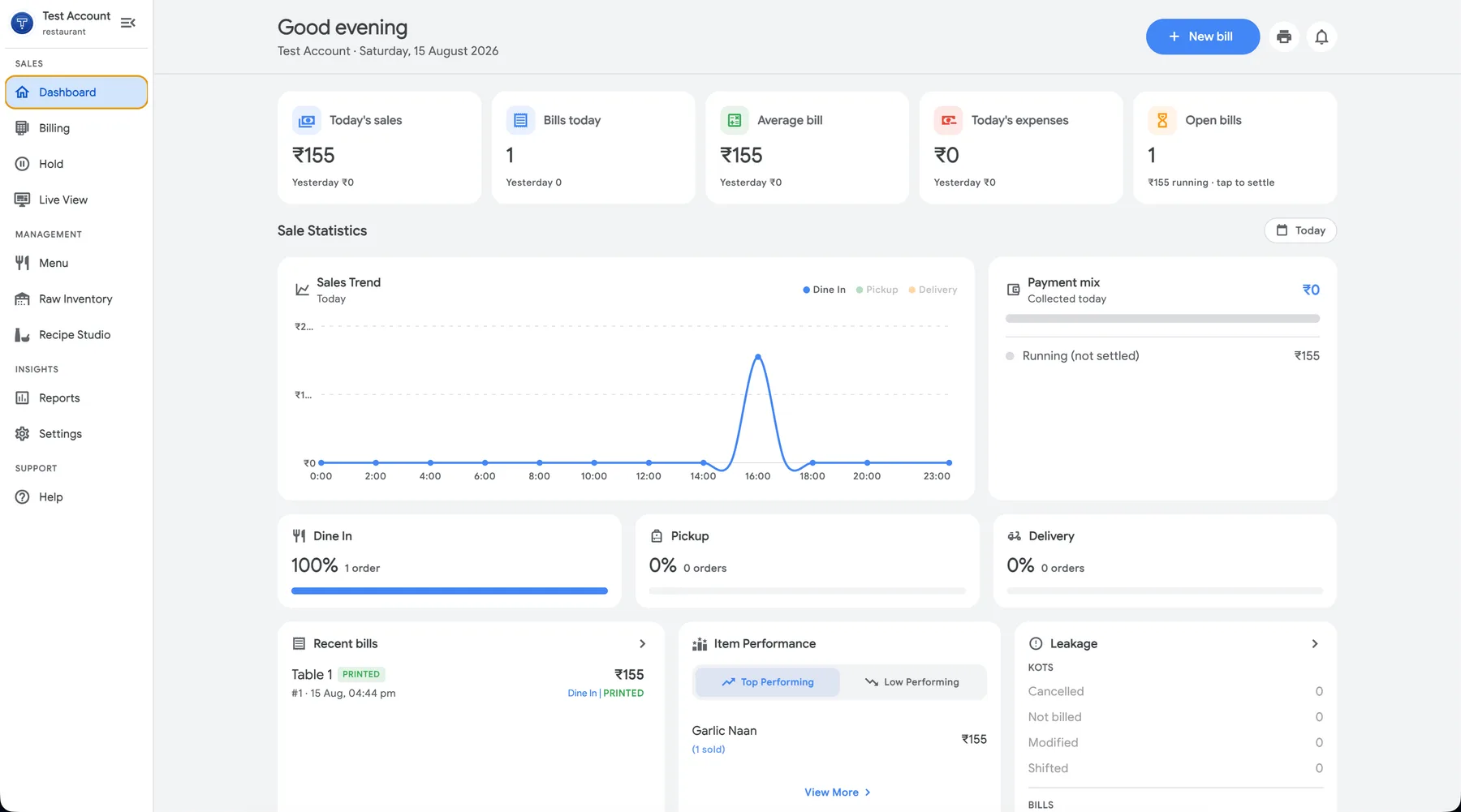
Built for the machine that never leaves the shop
A phone is what you bill on when you are walking the floor. The counter machine is where the day actually adds up - so this one is built for a big screen, a keyboard and hardware plugged into it.
Bills with the internet down
Every sale, item and customer is on the machine. The counter keeps moving through a dead router or a dead SIM - nothing waits on a network call.
Catches up on its own
The moment the connection returns, the day is pushed up and your phone, tablet and reports agree again. Nobody has to re-enter anything.
Talks to your counter hardware
Thermal printers over USB and the cash drawer they open - the receipt comes out of the same printer you already bought.
Room to see the whole bill
The full-width layout puts the item grid, the running bill and the totals on screen together, so a busy counter is one glance instead of three taps.
One account, every device
Sign in with the same number you use on the phone. Same shop, same items, same staff and roles - the desktop is another window on it, not a second setup.
Updates itself, quietly
New versions arrive in the background and apply on the next restart. You install Tokn once and never download it again.
Three steps, one time
Both operating systems put up a warning for apps that did not come from their own store. Here is exactly what it says and what to press - after this, updates install themselves.
On Windows
- 1Run the downloaded
.exe. It asks where to install - the default is fine. - 2Windows shows a blue “Windows protected your PC” box the first time. Choose More info → Run anyway.
- 3Sign in with your phone number. Your shop, items and staff are already there.
On Mac
- 1Open the
.dmgand drag Tokn POS into Applications, then open it from there. - 2macOS may say it “could not verify” the app - that is macOS being careful with software downloaded outside the App Store, not a problem with the download. Choose Done, never Move to Bin.
- 3Go to System Settings → Privacy & Security, scroll to the bottom, and click Open Anyway next to the message about Tokn POS. You only do this once.
- Windows 10 or 11
- 64-bit
- macOS 11 or later
- Apple silicon
- Internet optional
- needed only to sync
Bill from the counter, check the day from anywhere
One account covers every device you sign in on. Take the phone to a table, leave the desktop at the counter - it is the same shop either way.


Need the printer too?
The Tokn kit is a thermal printer with a full year of the app, delivered across India.
See what is in the kit